Indonesia
 English
 Arabic
 French
 Spanish
 Portuguese
 Deutsch
 Turkish
 Dutch
 Italiano
 Russian
 Romaian
 Portuguese (Brazil)
 Greek
Why Custom Exhibition Booth Construction Matters for Brand Visibility
Other |
2026-11-02 11:23:35
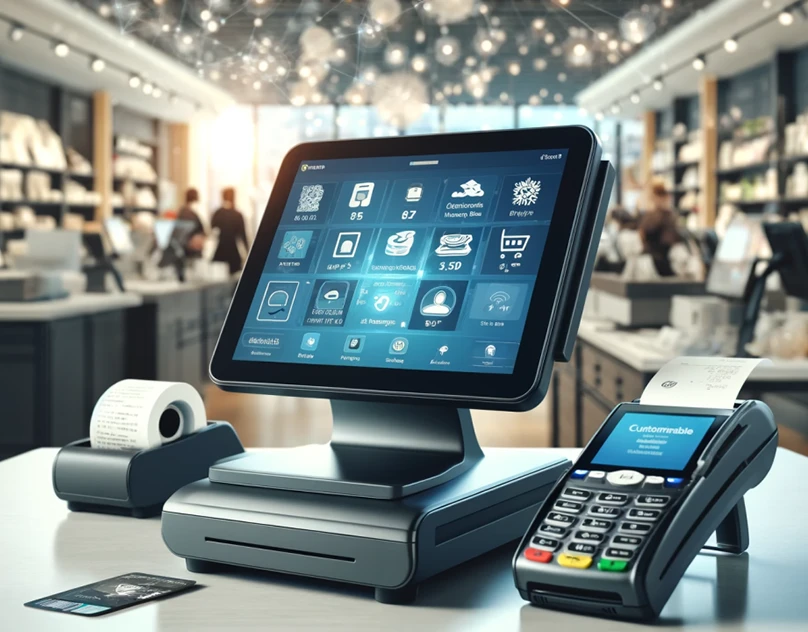
Most POS management solution guides focus on features. This one focuses on what happens after you choose a system: how it changes daily operations, where hidden costs appear, how to move your data, and how to keep everything secure. If you are replacing an old cash register or upgrading an outdated system, this playbook will help you plan realistically.
Point-of-sale (POS) software is the application that runs your checkout and connects it to the rest of your business. It records each sale, calculates taxes and discounts, accepts payment, prints or sends receipts, and updates inventory automatically. Modern platforms also provide reports, customer profiles, staff controls, and links to accounting or online stores.
Staff log in with personal credentials. The system records the starting cash float and loads current prices and promotions.
Each sale is scanned or tapped in, payment is processed, and stock levels adjust instantly. Managers can monitor sales in real time from a phone or laptop.
The software reconciles cash, card, and other payments against recorded sales. It produces an end-of-day report showing totals, refunds, discounts, and variances.
Data syncs to the cloud or back office, ready for review. Owners can analyze trends, plan orders, and export figures for accountants.
|
Component |
Purpose |
|
Sales interface |
Screen where items are added and totals calculated |
|
Payment module |
Handles cards, cash, wallets, and split payments |
|
Inventory engine |
Tracks stock, suppliers, and reorder points |
|
Reporting tools |
Summarizes sales, margins, and staff activity |
|
Customer database |
Stores contact details and purchase history |
|
User management |
Controls permissions and records activity |
|
Integrations |
Connects accounting, e-commerce, and marketing tools |
Data lives on secure remote servers. You get automatic updates, remote access, and easier multi-store management. Reliable internet or an offline mode is important.
Software runs on your own computers. It offers direct control and can operate without internet, but needs maintenance, backups, and manual updates.
Keeps core functions local while syncing data to the cloud. This approach suits businesses that want reliability during outages and the convenience of remote reporting.
Request a written quote covering the full first-year cost, then compare it with your current expenses.
POS software in Pakistan helps businesses manage billing, sales, inventory, payments, and daily operations efficiently through one centralized system.
Switching systems is easier when you prepare.
Export product lists, prices, customer records, and supplier details. Remove duplicates, outdated items, and incorrect entries.
Use consistent naming, categories, and barcodes. Spreadsheet templates from the vendor often help.
Import a limited set of products first to confirm that fields map correctly.
If possible, run the old and new systems side by side for a short period to compare results.
Archive your old data securely before shutting down the previous system.
POS systems handle sensitive information, so security is not optional.
Payment security: Choose providers that follow PCI DSS standards and use encrypted card processing.
User access: Give each employee their own login and limit permissions for refunds, price changes, and reports.
Software updates: Install updates promptly to patch vulnerabilities.
Backups: Confirm that data is backed up automatically and can be restored.
Privacy: If you store customer details, follow applicable data protection laws and explain how information is used.
Physical protection: Secure terminals, card readers, and cash drawers against tampering.
Even the best software fails if staff do not understand it. Effective training includes:
Short, role-specific sessions for cashiers, managers, and back-office staff
Practice scenarios, such as refunds, voids, split payments, and end-of-day closing
A one-page quick-reference guide kept near the terminal
A named "super user" who can answer questions on busy shifts
Plan training before launch, not after problems appear.
Track a few clear indicators for the first few months:
Checkout time per customer to see whether queues shrink
Cash variances at closing to measure accuracy
Stock discrepancies between system records and physical counts
Refund and void rates to spot errors or misuse
Reporting time needed to prepare daily and monthly summaries
Staff confidence, gathered through brief feedback
Compare these metrics with pre-launch levels to confirm that the system is delivering value.
Businesses often choose on price alone, overlook transaction fees, or buy hardware that is not compatible. Others skip testing, neglect staff training, or leave default passwords unchanged. A short trial period and a written implementation plan prevent most of these problems.
What is the full cost over the first year, including processing fees?
Does the system work offline, and how does it resync?
How do I export my data if I leave?
What support hours and channels are available?
How are security patches and updates delivered?
Which hardware is supported, and can I use what I already own?
POS software is more than a digital cash register. It shapes how quickly you serve customers, how accurately you track stock, and how clearly you see your numbers. Plan for hidden costs, migrate data carefully, protect security, and train your team thoroughly. With a realistic playbook, your POS system can become a dependable foundation for daily operations and long-term growth.
Modern business tools help simplify daily operations, improve transaction accuracy, and keep sales, inventory, and financial records well organized.