Indonesia
 English
 Arabic
 French
 Spanish
 Portuguese
 Deutsch
 Turkish
 Dutch
 Italiano
 Russian
 Romaian
 Portuguese (Brazil)
 Greek
The Safety Skill Nobody Taught You (And How to Learn It for Free)
Other |
2026-11-09 11:39:25
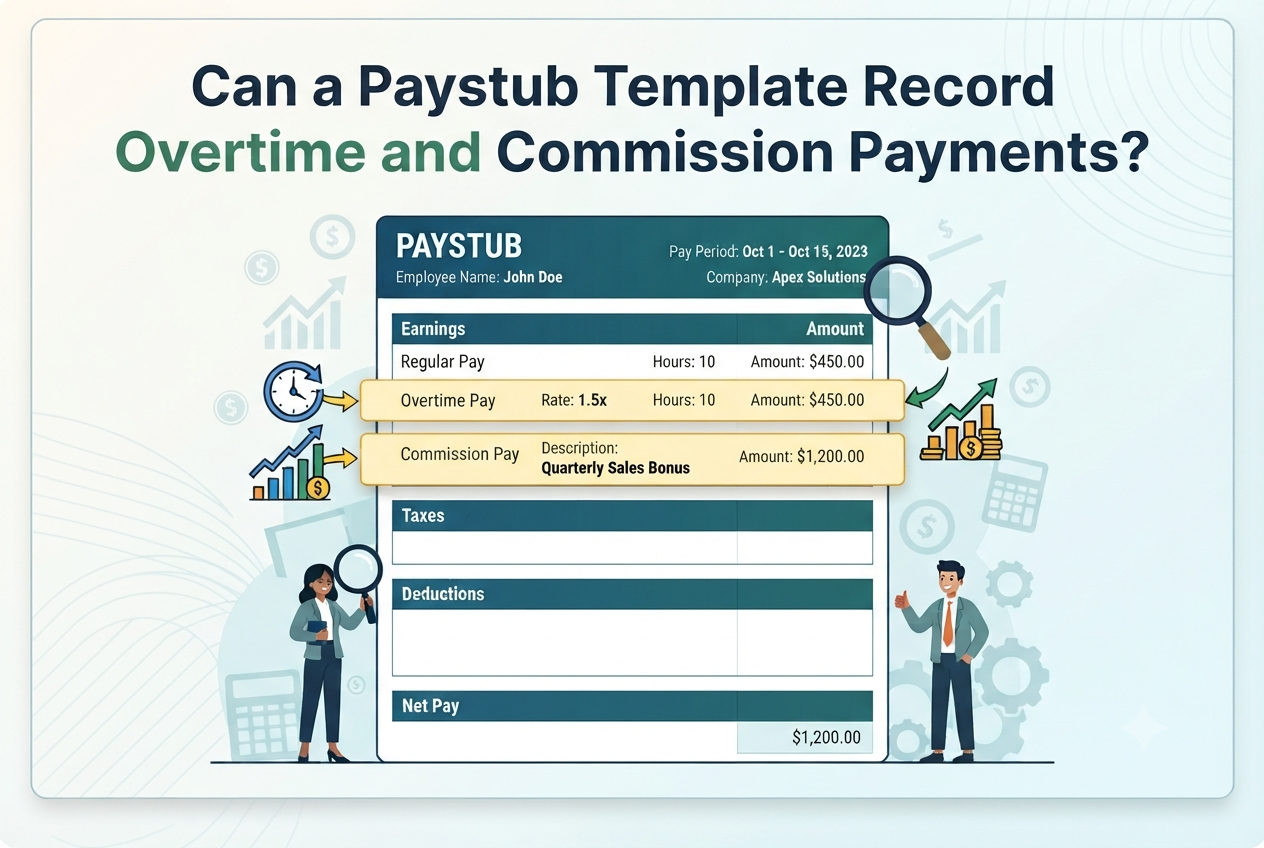
Accurate payroll records help employees understand their earnings and allow employers to manage compensation efficiently. However, regular wages do not always represent an employee's complete income. Many workers receive additional payments through overtime hours, sales commissions, performance bonuses, and other incentives. Recording these earnings correctly helps maintain transparent payroll documentation.
A well-designed pay stub template can record regular wages and additional compensation in separate sections. Employers can also use a pay stub generator to prepare professional pay statements that organize different income sources, tax deductions, and final payments. Understanding how these tools handle overtime and commissions can help businesses maintain accurate payroll records.
A paystub template is a structured document that displays an employee's earnings, deductions, and net pay for a specific pay period. It provides a clear breakdown of how an employer calculates the employee's total compensation.
A standard pay stub template generally includes:
Employee name and identification details
Employer information
Pay period and payment date
Regular working hours and wages
Overtime earnings
Commission payments
Federal and state tax deductions
Insurance and retirement contributions
Gross pay and net pay
Year-to-date earnings
These details help employees review their compensation and identify possible payroll discrepancies. Employers can use a pay stub generator to organize this information into a consistent format.
Yes. A properly designed paystub template can record overtime payments separately from regular wages. This separation helps employees understand how additional working hours affect their total compensation.
For example, an employee who works beyond the standard 40-hour workweek may qualify for overtime pay under applicable wage laws. Under the federal Fair Labor Standards Act (FLSA), covered nonexempt employees generally receive at least 1.5 times their regular rate for hours worked beyond 40 in a workweek.
A pay statement can display overtime information through the following details:
Total overtime hours worked
Regular hourly wage
Overtime pay rate
Total overtime earnings
Example:
Suppose an employee earns $20 per hour and works five overtime hours during a week.
|
Description |
Amount |
|---|---|
|
Regular hourly rate |
$20 |
|
Overtime rate |
$30 |
|
Overtime hours |
5 |
|
Total overtime earnings |
$150 |
A pay stub generator can help employers display these earnings separately from regular wages. This approach makes compensation easier to understand and supports accurate payroll documentation.
Commission payments represent additional income that employees earn through sales, completed transactions, or performance-based targets. Businesses commonly provide commissions to sales representatives, real estate agents, and other employees whose compensation depends on results.
A detailed pay stub template can include a separate commission section to explain these earnings.
Important commission details may include:
Commission amount earned
Sales or performance period
Commission rate
Total eligible sales
Additional incentive payments
For example, consider an employee who generates $10,000 in eligible sales and receives a 5% commission.
The calculation is:
$10,000 × 5% = $500
The employee earns $500 in commission payments. Employers can include this amount alongside regular wages while keeping the two income categories separate.
Using a pay stub generator helps businesses organize commission earnings and present compensation details clearly.
Recording different income categories separately improves payroll transparency. Employees can understand how their earnings change from one pay period to another without confusing regular wages with additional compensation.
Here are some important benefits:
Better Earnings Visibility: Separate entries help employees identify regular wages, overtime income, and commissions.
Improved Payroll Accuracy: Employers can review each compensation category before finalizing payroll calculations.
Simplified Income Verification: Detailed statements provide useful documentation when employees apply for loans, rental properties, or other financial services.
Easier Recordkeeping: Organized payroll statements help businesses maintain consistent employee compensation records.
A reliable pay stub template makes it easier to present these details in a readable format. Employers can also use a pay stub generator to reduce manual formatting and calculation errors.
When employees receive overtime or commission payments, their pay statements should provide enough information to explain the compensation.
A professional pay statement should include:
Gross Earnings: The total income earned before taxes and other deductions.
Regular Pay: Compensation for standard working hours or the employee's agreed salary.
Overtime Pay: Additional earnings for eligible overtime hours.
Commission Income: Payments based on sales, transactions, or performance agreements.
Tax Withholdings: Applicable federal, state, and local tax deductions.
Other Deductions: Insurance premiums, retirement contributions, and other authorized deductions.
Net Pay: The remaining amount after applicable deductions.
A pay stub generator can arrange these details into separate sections. This format helps employees review their earnings and understand how their employer calculates their final payment.
Managing different compensation types manually can become challenging, especially when businesses employ workers with varying payment structures. A pay stub generator offers a convenient way to organize employee earnings and prepare professional pay statements.
Employers can use these tools to:
Enter regular wages and working hours.
Add overtime hours and applicable rates.
Record commission and incentive payments.
Include tax information and deductions.
Calculate gross earnings and net pay.
Generate downloadable pay statements.
A customizable pay stub template also helps businesses maintain a consistent presentation across different employees and pay periods.
However, employers should verify all entered information, calculations, and applicable payroll requirements before issuing statements. A generator supports documentation but does not replace proper payroll processing or legal compliance.
Employers should follow consistent payroll practices to maintain reliable compensation records.
First, maintain accurate records of employee working hours and approved overtime. Second, document commission agreements and applicable payment rates. Third, review earnings calculations before generating pay statements.
Businesses should also ensure that deductions reflect applicable regulations and employee authorizations. Keeping historical payroll records organized makes it easier to review previous payments and resolve employee questions.
Using a reliable pay stub generator alongside a properly structured pay stub template can make these responsibilities easier to manage.
A paystub template can record both overtime and commission payments when it includes clearly defined earnings sections. Separating regular wages, overtime compensation, and commission income helps employees understand their total earnings while supporting better payroll documentation.
Whether a business pays hourly workers, salaried employees, or commission-based professionals, accurate pay statements remain important. With a reliable pay stub generator, employers can create organized compensation records and provide employees with a clear breakdown of their payments.