Indonesia
 English
 Arabic
 French
 Spanish
 Portuguese
 Deutsch
 Turkish
 Dutch
 Italiano
 Russian
 Romaian
 Portuguese (Brazil)
 Greek
Why Same Day Tour Packages Are Perfect for Busy Travelers
Other |
2026-11-19 12:30:25
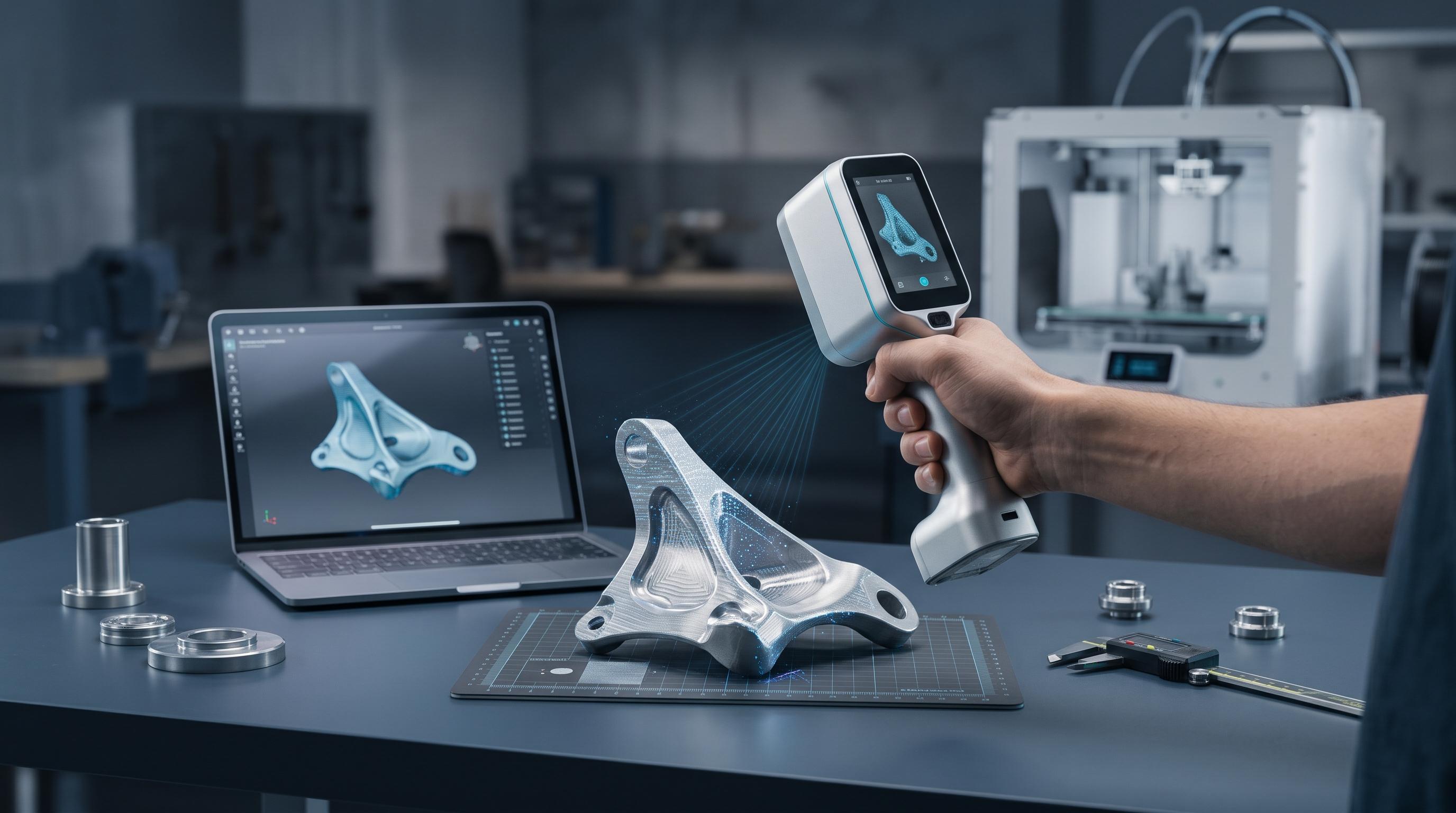
Best for: Vehicle interiors, remote client inspections, shared classrooms, and factory floors where dragging a laptop is impractical.
Key US Market Picks: The Revopoint MIRACO (~$1,424 USD) and MIRACO Plus (~$1,869–$2,089 USD, adding an optional Photogrammetric Metrology Kit for 0.02 mm + 0.05 mm × L length accuracy), alongside the Shining 3D Einstar Vega (~$1,699 USD), 3DMakerpro Toucan, and Creality Sermoon P1 (~$3,299 USD).
Best for: Outdoor prop capture, full-body scans, furniture, and mixed studio workflows.
Key US Market Picks: The Revopoint RANGE 3 / 3 Pro (~$351–$436 USD, covering objects up to 4 × 4 × 4 m in sunlight up to 100,000 lux), INSPIRE 2 (~$549–$629 USD), and POP 4 (~$755–$872 USD, 5-in-1 blue laser and infrared hybrid), plus the pocket-sized Creality Pika (~$629–$699 USD).
Best for: Automotive aftermarket parts, machined castings, Scan-to-CAD reconstruction, and GD&T quality inspection.
Key US Market Picks: The Revopoint MetroX / MetroX Pro (~$849–$1,399 USD) and MetroY / MetroY Pro / MetroY Ultra (~$1,319–$2,124 USD), alongside the Creality CR-Scan Raptor (~$879 USD) and Shining 3D EINSTAR 2 (~$854 USD).
| Model | Handheld Setup | Light Source & Rated Accuracy | Object Size Range | Approximate US Price |
| Revopoint RANGE 3 / 3 Pro | Wireless (PC & Phone, ~220 g) | VCSEL + 11 parallel IR laser lines on Pro (0.03 mm + 0.2 mm × L) |
20 mm – 4 m (0.8 in – 13 ft) | ~$351–$436 USD |
| Revopoint POP 4 | Wireless 5-in-1 Hybrid (PC & Phone) | 30 blue cross lasers + 1 deep-hole line + Full-Field & VCSEL (0.03 mm) |
10 mm – 2 m (0.4 in – 6.5 ft) | ~$755–$872 USD |
| Creality CR-Scan Raptor | Handheld PC / Scan Bridge | Blue laser + NIR (up to 0.02 mm, 60 FPS) |
5 mm – 2 m (0.2 in – 6.5 ft) | ~$879 USD |
| Revopoint MetroX / Pro | Handheld PC-Connected | Multi-line blue laser + full-field structured light (up to 0.02 mm) |
10 mm – 1 m (0.4 in – 3.3 ft) | ~$849–$1,399 USD |
| Revopoint MetroY Ultra | Wireless / PC Blue Laser | 34 cross + 15 parallel + 1 deep-hole blue laser (0.015 mm + 0.04 mm × L) |
Small to medium mechanical parts | ~$1,614–$2,124 USD |
| Revopoint MIRACO / Plus | All-in-One Standalone | Dual-range structured light (0.04–0.05 mm; metrology kit option) |
10 mm – 4 m (0.4 in – 13 ft) | ~$1,424–$2,089 USD |
Match Frame Rate (FPS) to Your Hand Movement: Moving a scanner by hand introduces micro-jitter. Units running at 60 to 105 FPS—such as the Revopoint POP 4, RANGE 3 Pro, and MetroY Ultra—lock onto surfaces far more forgivingly during fast passes than 15–20 FPS entry scanners.
Use Multi-Line Blue Lasers for Dark and Metallic Surfaces: Standard infrared patterns get absorbed by matte-black ABS and scattered by brushed aluminum. Multi-line blue lasers read dark plastics and bare metals directly without surface prep, keeping sublimating 3D scanning spray strictly for clear glass and mirror-finish chrome (where it evaporates cleanly within hours without residue).
Anchor Smooth Panels With Irregular Markers: When sweeping across flat sheet metal, vehicle hoods, or symmetrical housings where shape alone cannot anchor alignment, apply adhesive reflective markers in irregular, non-grid patterns spaced roughly 50 to 80 mm (2 to 3 in) apart—or step up to an optical-tracking system like Revopoint Trackit SR (~$3,514 USD) for marker-free large-part metrology.
Verify Computing and CAD Requirements Upfront: Free capture suites—such as Revo Scan 6 / Revo Metro (Revopoint), CrealityScan, and EXStar (Shining 3D)—export watertight .STL and .3MF files for 3D printing. If you choose a high-FPS PC-powered laser scanner, pair it with a Windows 10/11 PC featuring 16–32 GB of RAM and a discrete NVIDIA RTX 3060/4060 or newer GPU, and add Scan-to-CAD software such as Revo Design (~$540 USD) or Revo Measure (~$499 USD) when projects require editable .STEP solids or GD&T deviation reports.